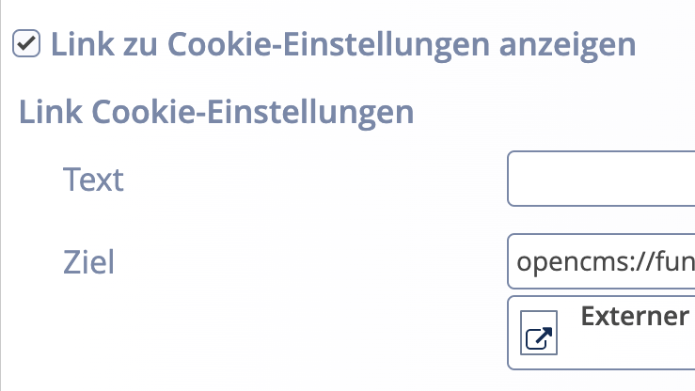
To activate and configure the cookie icon, you must open the “Configuration for data protection regulations” file. To do this, edit the file in the form editor.
Activate the “Show link to cookie settings” option there. Optionally, you can manually set the stored link in the “Link cookie settings” field. If this field is not filled in, the link set in the “Link to privacy policy” field will be used. If both fields are not filled in, the cookie icon will not be displayed.
Please note that the cookie icon is only displayed online or in preview mode. It will also only be displayed once the user has confirmed the privacy settings in the cookie banner.
The cookie icon is disabled in the page editor. However, by clicking on the OpenCms icon (“target”) in the editor toolbar at the top left, you can temporarily switch to preview mode and check the function of the cookie icon.